


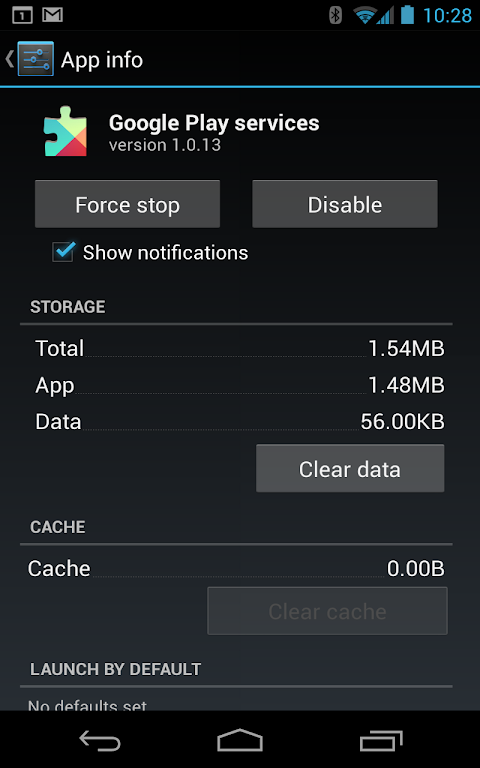





Google Play services is a fundamental background component that powers core functionality for millions of Android apps and games. It provides essential APIs and services that developers rely on to build secure, integrated, and feature-rich experiences. For the average user, it works silently to ensure apps run smoothly, stay updated, and connect seamlessly with Google’s ecosystem. This system service is crucial for anyone using an Android device, from casual users to power users who depend on apps for communication, navigation, and entertainment.
The Engine Behind App Functionality
This component is not a standalone app with an interface, but rather a critical support system. It delivers core Google features like authentication with your Google Account, synchronized contacts, and high-quality location services to other applications on your device. By providing these common functions centrally, it allows app developers to focus on their unique features without rebuilding foundational tools. This results in more consistent performance and security across the entire app landscape on your phone or tablet.
Enabling Seamless Google Integration
Google Play services is the bridge that connects your device to Google’s mobile platform. It enables popular services such as Google Maps, Google Drive, and Gmail to work properly within third-party apps. For example, when a ride-sharing app displays a map or a fitness app saves data to your Drive, they are utilizing APIs provided by this service. This deep integration creates a cohesive experience where your apps can securely share data and functionality, making your device more useful and interconnected.
Automatic Updates and Security Patches
One of its most significant roles is managing important updates independently of full Android OS upgrades. Google can push critical security fixes, performance improvements, and new API features directly to this service through the Play Store. This means your apps can gain access to the latest protections and capabilities without waiting for a manufacturer-provided system update. This process helps keep your device secure and ensures compatibility with the newest apps available.
Enhancing Gaming and Developer Tools
For gamers, Google Play services provides the infrastructure for achievements, cloud saves, and multiplayer functionality in many popular games. Developers use its robust toolkits to implement in-app billing, analytics, and advertising in a secure and standardized way. This ecosystem support fosters a healthy environment where developers can create more engaging and reliable applications, which directly benefits the end-user with a wider selection of high-quality software.
Frequently Asked Questions
It is a critical background system service that provides core functionality to most Android apps, including those from Google. You need it installed and updated for many apps to run correctly, as they depend on its APIs for features like maps, login, and notifications.
The service requests broad permissions because it acts as a central provider for many different features used by other apps. For instance, an app using location services will rely on Google Play services for that data. The permissions allow it to support this wide range of functionalities securely on behalf of installed applications.
It is not recommended to disable or remove it. Doing so will cause many apps to malfunction, crash, or lose key features. The service is designed to run efficiently in the background and is essential for the normal operation of a modern Android device.